LiberNovo Omni Series: Choose the Right Model and Seat Depth
This article contains affiliate links. We may earn a commission if you buy through them.
You shift forward to type, lean back to think, and swivel for a call—yet your current chair only feels right in one position. If you’re evaluating the LiberNovo Omni Series to get support that follows your movement, the decision comes down to how its dynamic mechanism changes everyday comfort, which model fits your build, and which seat depth keeps your thighs supported without pressure.
A desk-chair decision: support that adapts as you move
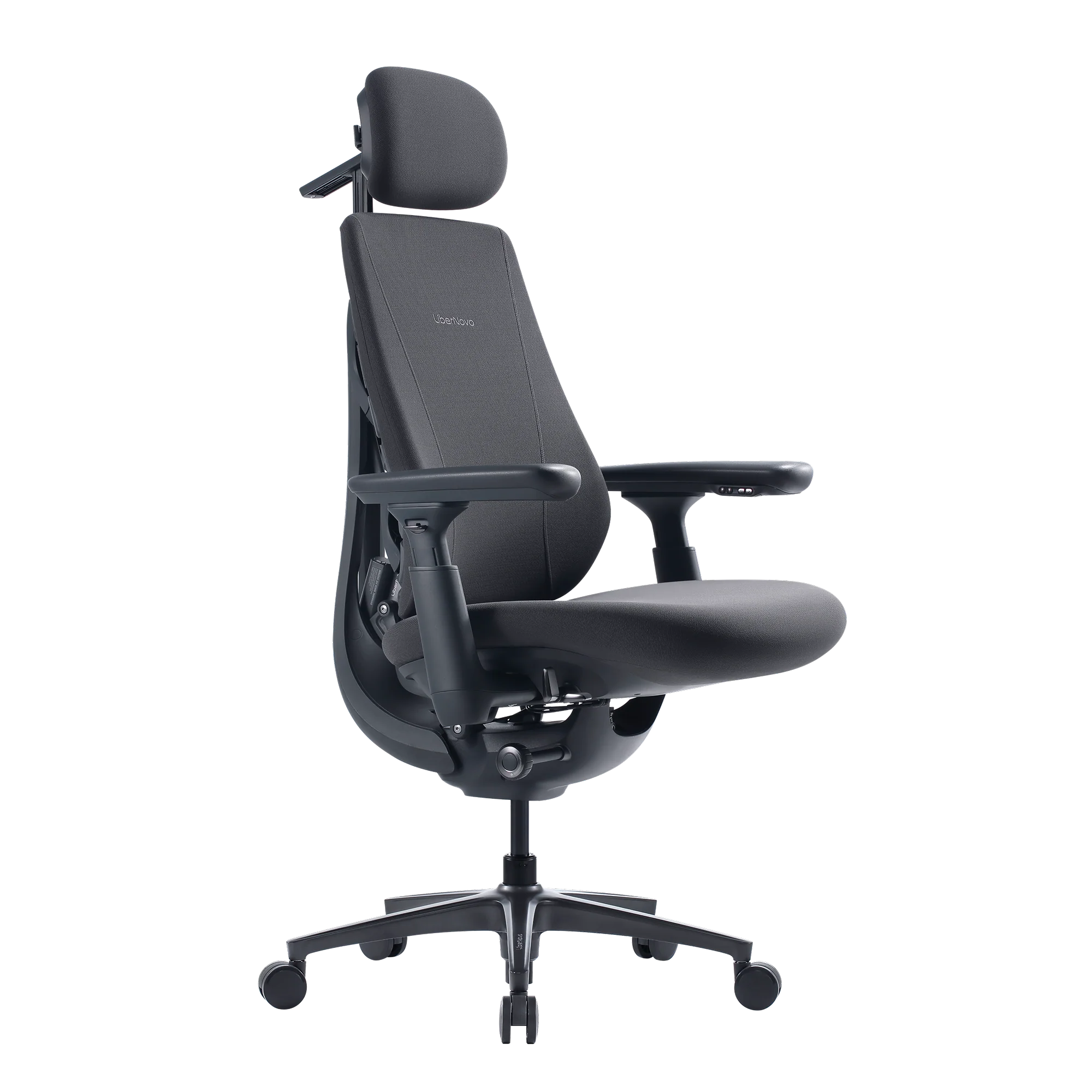
Static office chairs are tuned for a single stance. When you change posture, the support often falls away. LiberNovo frames the Omni lineup as a dynamic alternative—headrest, backrest, seat, and arms move in sync as you shift—so the chair stays with you rather than against you. Support that tracks your movement can matter if your day moves between focused typing, calls, and thinking time.
Two fit details drive that feeling: recline positions and seat depth. The lineup locks at five positions—105°, 115°, 125°, 135°, and 160°—covering upright focus through deep rest. Five recline positions, 105°–160°, let you choose a steady angle for a given task instead of free-floating. Seat depth is the other lever: Omni models offer 45 cm or 48 cm, while the Maxis platform for bigger builds uses a fixed 52 cm. Seat depth matters for comfort because it determines whether your thighs are supported without the seat front cutting into your calves.
Early in your research, it helps to map model to body size and feature priorities. The LiberNovo Omni SE keeps the dynamic frame with manual lumbar. The LiberNovo Omni Pro Dynamic Ergonomic Chair adds motorized lumbar and optional seat ventilation; Omni Gen sits between SE and Pro with powered lumbar stretch but without Pro’s airflow upholstery. For larger users, the LiberNovo Maxis Dynamic Ergonomic Chair widens the frame and deepens the seat.
There is a tradeoff: dynamic mechanisms add parts and cost versus simpler static chairs. If you rarely recline or adjust, you may not use the full system. But if you like to set a stable recline angle, want consistent arm support while leaning back, and care about thigh support across sizes, the Omni approach is worth close attention.
How dynamic support works (and why it matters)
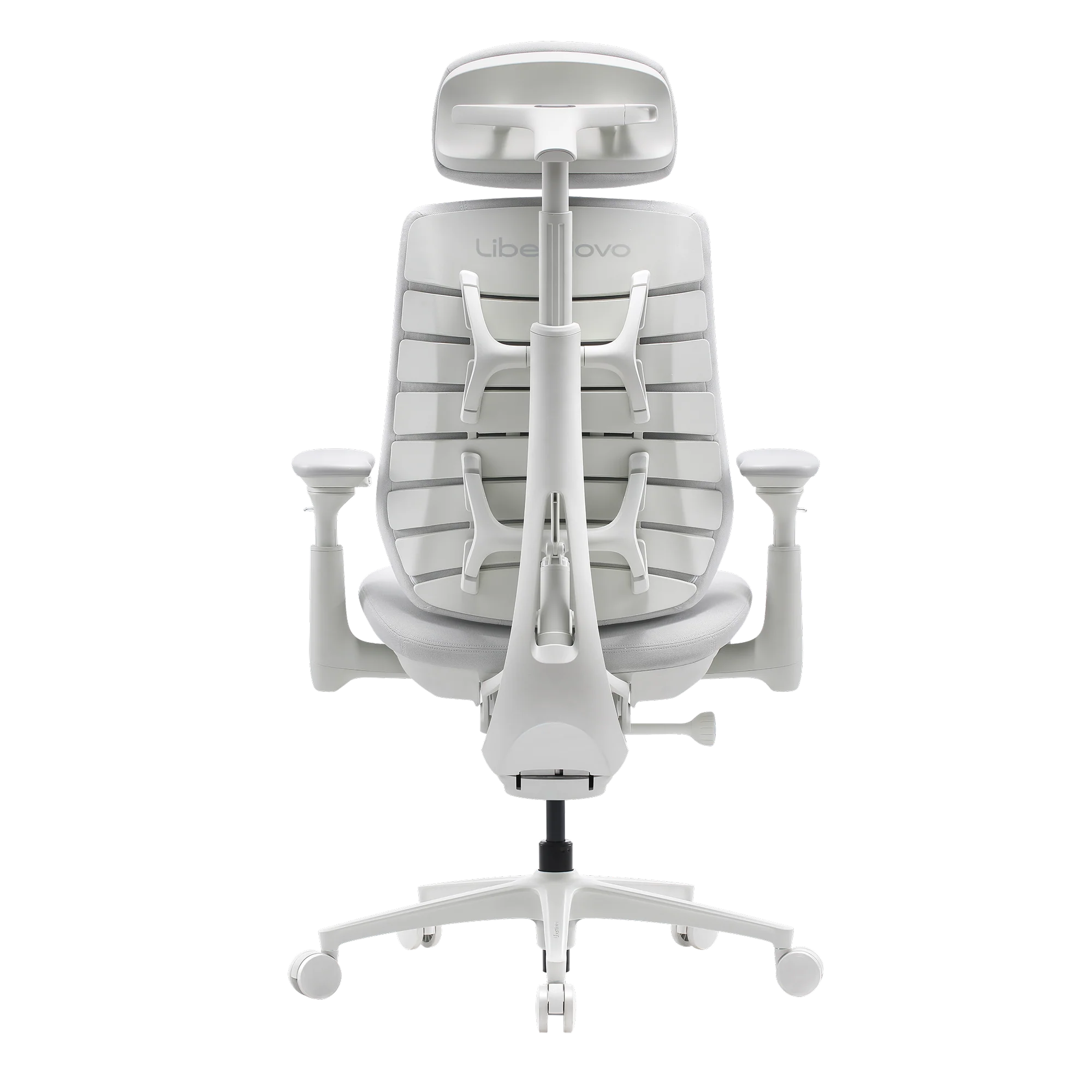
Understanding how the mechanism works clarifies who benefits. LiberNovo describes a Dynamic Support System that mechanically links the headrest, backrest, seat, and armrests—so when your torso leans, the rest of the chair follows. The Bionic FlexFit backrest uses flexible panels and pivot points to contour as your spine shape changes from upright to reclined. That’s different from a static shell that only fits in one posture.
Recline is not a single, free-tilt arc. You choose among five fixed angles—105°, 115°, 125°, 135°, and 160°—each meant to support a task. At 105°, you’re upright and engaged for deep focus. At 125°, many people find a sustainable “everyday” lean. At 135°, the system maintains contact while you read or take calls. At 160°, your back and headrest continue to track rather than letting your neck hang.
The company also emphasizes differential tilt: the headrest and backrest tilt at different rates so your eyes stay closer to level with the screen as you change position. In practice, that reduces how often you re-aim your monitor or crane your neck. Arm support is part of the sync, too; on Omni models, sliding/4D armrests track your forearms so shoulder load doesn’t spike when you recline.
Setup is still required. You’ll set your preferred seat depth (45 or 48 cm on Omni; Maxis uses 52 cm), pick a recline angle, and dial in armrest height and slide. Powered variants—like the LiberNovo Omni Pro Dynamic Ergonomic Chair or Maxis Electric/Airflow—introduce batteries for lumbar stretch and, on Airflow models, seat ventilation. That adds convenience but also charging to your routine. If you prefer a set‑and‑forget chair with minimal electronics, the LiberNovo Omni SE Dynamic Ergonomic Chair or Maxis Manual may suit you better.
Linked head, back, seat and arms can make posture changes feel more natural. And because the headrest tilts differently than the back, Differential tilt keeps screens readable enough that you may not need to constantly tweak monitor height as you change modes.
Choosing your LiberNovo Omni Series model (and Maxis)
All four models share the core dynamic design but differ in lumbar control, airflow options, fit range, battery, and fabric. Use this comparison to narrow your choice by build and features, then confirm seat depth.
| Model | Fit & seat depth | Key features | Battery & fabric highlights |
|---|---|---|---|
| LiberNovo Omni SE Dynamic Ergonomic Chair | Recommended fit around 5’0″–6’1″; ≤300 lbs (per product pages). Seat depth: 45 or 48 cm. | Dynamic Support System; Bionic FlexFit backrest; five fixed recline positions. Manual lumbar adjustment; sliding/4D arms. | No battery. Micro‑elastic fabric with listed performance ratings. Nylon base on SE page. |
| LiberNovo Omni Gen Dynamic Ergonomic Chair | Similar standard fit to SE/Pro (around 5’0″–6’1″; ≤300 lbs on pages). Seat depth: 45 or 48 cm. | Dynamic Support; Bionic FlexFit; five recline positions. Motorized lumbar stretch (OmniStretch). No Active Airflow. | Built‑in 2200mAh battery; listed as up to 30 days with daily use or up to a year with minimal adjustments. Micro‑elastic fabric. |
| LiberNovo Omni Pro Dynamic Ergonomic Chair | Recommended fit 5’0″–6’1″; ≤300 lbs (per Pro page). Seat depth: 45 or 48 cm. | All SE/Gen dynamics plus motorized lumbar and OmniStretch. Active Airflow seat ventilation with two speeds and auto on/off. | 3000mAh battery; usage‑dependent runtimes (e.g., airflow Low/High). Gabriel Atlantic fabric with listed abrasion and colorfastness ratings; reinforced aluminum alloy base. |
| LiberNovo Maxis Dynamic Ergonomic Chair | Maxis fits bigger builds: approx. 5’10″–6’7″; up to 399 lbs. Fixed 52 cm seat depth; wider frame and flared base. | Dynamic Support; Bionic FlexFit; five fixed recline positions; customized armrests. Versions: Manual (manual lumbar), Electric (motorized lumbar + stretch), Airflow (adds seat ventilation). | Maxis Electric lists 2200mAh; Maxis Airflow lists 3000mAh with airflow runtimes and auto on/off. Fabrics: Micro‑elastic (Manual/Electric) or Gabriel Atlantic (Airflow). |
Manual vs motorized lumbar is a daily-use decision. If you like one set position and rarely change it, SE/Maxis Manual avoid charging. If you adjust on the fly or want the stretch function, Gen/Pro or Maxis Electric/Airflow add one‑touch control. Active Airflow is model-specific to Pro and Maxis Airflow; it adds cooling and some fan noise along with battery upkeep.
Seat depth: 45/48/52 cm matters because thigh support must match your leg length. Omni’s 45 or 48 cm options cover many users; the Maxis 52 cm platform supports longer femurs and broader frames.
How to pick your seat depth
Seat depth strongly shapes comfort. Measure your seated seat depth: sit back against a wall, keep one knee at roughly 90°, and measure from the wall to the back of your lower leg. Choose 45 cm if your thighs end short of the 48 cm platform; pick 48 cm if you need slightly longer support without the seat front touching your calves. If your measurement and build exceed those ranges—or you prefer more room in the shoulders and hips—the 52 cm LiberNovo Maxis Dynamic Ergonomic Chair is the step up.
When to step up to Maxis
Beyond longer thighs, taller or broader users benefit from the Maxis frame’s wider backrest, flared base, and extended headrest adjustability. The fit guidance on Maxis runs ~5’10″–6’7″ with support up to 399 lbs, and the Maxis Airflow version adds seat ventilation designed for longer sessions. The tradeoff is a fixed 52 cm seat depth—great for long legs, less ideal for shorter users who may prefer the Omni 45 or 48 cm options.
A practical example: posture, screen alignment, and cooling
Imagine a long day that alternates between writing, calls, and a mid‑afternoon cooldown. You start in the 105° Deep Focus position to type. Because the backrest and headrest tilt differentially, your gaze stays near level with the monitor; sliding/4D armrests carry your forearms so your shoulders don’t tense up when you lean back slightly.
After a few hours, you switch to 125° for Solo‑Work while reviewing drafts. The chair stays in contact—seat, back, and headrest continue to track. If you tend to overheat, the LiberNovo Omni Pro Dynamic Ergonomic Chair offers Active Airflow with two speeds and auto on/off via a seat sensor. On Low, airflow can run for multiple workdays between charges; on High, expect shorter runtimes but more cooling. If you rarely get warm, a non‑airflow model (SE or Gen) avoids fan noise and charging altogether.
Prefer a broader seat and frame? The LiberNovo Maxis Dynamic Ergonomic Chair offers similar two‑speed ventilation in its Airflow version and notes a noise level designed for office environments. For users who switch positions but don’t need cooling, Maxis Manual or Electric keep the larger fit while skipping the fan.
Battery life depends on what you use most. Continuous airflow draws more than occasional motorized lumbar adjustments or stretch cycles. That’s why Omni Pro lists separate airflow runtimes and also describes much longer intervals when you only use the buttons a few times a day. If your routine is set‑and‑forget, a manual model keeps things simple. If you change positions often or value on‑demand lumbar stretch after a long session, the powered models earn their keep.
Use recline modes intentionally: pick a fixed angle for a task, then move to the next mode as your work changes. And remember, Cooling is optional, not universal—choose it because you’ll use it, not because it sounds advanced.
Materials, certifications, and durability signals
Fabric changes both feel and upkeep. Omni SE/Gen use a micro‑elastic textile with listed abrasion and colorfastness ratings; it’s designed to stretch and conform to the backrest structure. Omni Pro steps up to Gabriel Atlantic upholstery from Denmark, and the product page lists performance figures like high abrasion resistance and colorfastness. Premium, tightly woven fabrics can feel firmer than mesh, so balance tactile preference with the durability signals you value.
Under the surface, LiberNovo publishes component cycle tests—e.g., 300k recline cycles, 120k backrest cycles, and 100k seat‑impact cycles—along with certifications such as BIFMA X5.1 and GREENGUARD on Omni pages. These aren’t a promise of lifetime performance, but they help you gauge build intent across models and fabrics.
Fabric choice changes feel, breathability, and cleaning routine. If you prioritize test standards and third‑party marks, Look for listed certifications and durability cycles on the specific model page you’re considering.
Shipping, trial, returns, and warranty for the US
Before you order, confirm the practical terms for your address. LiberNovo lists fast free shipping to the contiguous US, typically 4–8 business days from its US warehouse. There’s a 30‑day risk‑free trial with free return shipping, provided the chair is in like‑new condition and returned in its original packaging with all accessories; custom upholstery is listed as non‑returnable. The company also offers 30‑day price protection after a verified lower price and a limited warranty commonly noted on product pages as frame 6 years and electronics 2 years.
If you’re ready to compare configurations or confirm current timelines, visit LiberNovo and look for the shipping, trial, price‑protection, and warranty details on the exact model you plan to buy.
Keep the original packaging until you decide to keep the chair. And remember, the Trial window is 30 days from delivery.
What to check before you buy from LiberNovo
- Measure seated depth first: pick 45 or 48 cm on Omni to match your thigh length; consider 52 cm Maxis if you’re tall with longer femurs.
- Match model to your build: Omni SE/Gen/Pro target roughly 5’0″–6’1″ and ≤300 lbs; Maxis targets ~5’10″–6’7″ and up to 399 lbs.
- Manual vs. motorized lumbar: SE and Maxis Manual avoid charging; Pro/Gen/Maxis Electric add one‑touch lumbar plus OmniStretch.
- Airflow adds cooling and charging: Omni Pro and Maxis Airflow include two fan speeds with auto on/off; fans add a small amount of noise.
- Battery life varies with use: continuous airflow drains faster than occasional stretch or adjustments.
- Brand language: “The World’s First Dynamic Ergonomic Chair” is LiberNovo’s phrasing; compare mechanisms across brands if that claim matters to you.
- If you’re noise‑sensitive, consider non‑airflow models, or plan to use airflow on Low during calls.
Next step: measure your seated seat depth and note your height/weight. If you fall within Omni’s range, choose between 45 and 48 cm and decide whether manual (SE) or powered (Gen/Pro) lumbar fits your routine; if you’re closer to Maxis fit, confirm that the 52 cm seat depth and wider frame match your proportions, then visit LiberNovo to review the specific model’s fit and policy details before ordering.