Scale team signing with airSlate SignNow eSignature
This article contains affiliate links. We may earn a commission if you buy through them.
For teams considering airSlate SignNow eSignature, picture a US HR and legal team preparing dozens of NDAs and offer letters each week. They need a single place where anyone in the company can prepare, send, and track signatures without rationing seats—and with audit trails and access controls to support the organization’s signing requirements. The sticking point is common: per‑user pricing stalls adoption, and hidden renewal costs can surprise budgets. That’s the decision in front of you: choose an eSignature platform that scales across departments without compromising legal or security requirements, or keep juggling ad‑hoc emailing and wet signatures.
The real decision: team‑wide eSignatures without seat limits
When you want everyone—sales, HR, legal, finance—to send and sign, per‑user seat models can become roadblocks. airSlate SignNow foregrounds a different starting point: Unlimited users on all plans. That means you can extend access broadly without negotiating seat allocations every time another department joins.
There’s also a usage‑based Site License for organizations standardizing on one platform. Instead of paying per seat, you pay per eSignature invite sent, which aligns costs to actual usage while keeping users unrestricted. For teams trying to digitize every document process, that’s a practical way to remove internal gatekeeping around who can send.
There is a tradeoff. Usage‑based pricing shifts attention toward volume forecasting. If you expect heavy, automated signing throughput, build a usage model and monitor how invites move with seasonality or campaign spikes. You’ll still expand access freely, but you’ll want to track invites like any other operational metric.
Why consider airSlate SignNow first for org-wide rollout
Adoption only matters if the signatures stand up. airSlate SignNow states that its electronic signatures are legally binding under ESIGN and UETA, and the platform provides audit trails to document signer actions. Combined with access controls like passwords and two‑factor authentication for signers, you can align workflows to internal risk policies without derailing ease of use.
The sender experience is straightforward: create an account, upload a file, add fields, and send. You can brand the invitations with your logo to reduce recipient confusion, and you can segment work by teams so that HR templates stay with HR and sales collateral stays with sales. These are small details, but they remove day‑to‑day friction that slows rollout.
One caveat: Legally‑binding eSignatures with audit trails do not automatically mean every advanced control is included at every plan level. Some advanced signing tools or messaging options may sit in higher tiers. That’s normal across the category. The practical step is to map your required controls to the documented features before you lock in a timeline.
From document to signature: building repeatable workflows
Rolling out at scale depends on repeatability. With airSlate SignNow, senders can assemble the pieces—templates, fields, routing, links, teams, and branding—into workflows that hold up across departments.
Templates and fields
Reusable templates save prep time and standardize data capture. You can create unlimited templates of your most‑used documents and add customizable fillable fields—from signatures and dates to checkboxes and text. Field validation and defaults reduce errors and keep downstream systems clean.
Why this matters: admins can enforce a baseline structure while letting each team adapt the last 10% for their use case. HR can template offer letters with built‑in compliance text, and sales can lock down signature placement in order forms. The practical decision is to define a small set of official templates and maintain them centrally so version drift doesn’t creep in.
Routing, teams, and links
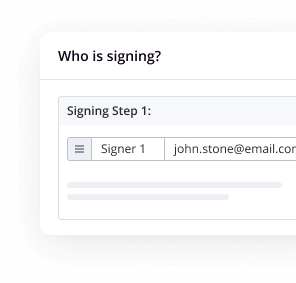
Multi‑party agreements benefit from Role‑based routing for multi‑signer flows, so approvals follow the right order without manual handoffs. For faster collection, you can share a signing link without adding recipient emails one by one—a useful option for contractor packets or volunteer waivers where inviting by link is appropriate.
Teams enable secure collaboration on documents and templates, and custom branding lets you add your logo to the invites recipients receive. For sensitive documents, you can restrict access with a password or two‑factor signer authentication, adding a control layer without forcing recipients to create accounts.
Tradeoff: the same flexibility calls for governance. Invest early in template naming conventions, owner assignments, and a short checklist for field validation. That keeps your library usable as adoption grows.
Integrations and API choices for existing systems
Bringing eSignature to where work already happens shortens cycle time. airSlate SignNow can embed eSignature in your website, CRM, or custom apps. Native integrations are available for common environments like Salesforce and Microsoft 365, and a full API lets you program custom flows or connect document steps across internal systems.
Deliver eSignatures inside your CRM so reps never leave their pipeline view to send agreements, or add a self‑service signature step on a web page. For technical buyers, the practical next step is to confirm integration prerequisites and admin scopes—some connectors or API features may require specific plan levels or security approvals before you set timelines.
Compliance and legal reliability for US teams
US organizations ask two baseline questions: will signatures be enforceable, and is data protected? airSlate SignNow states that its electronic signatures are enforceable under ESIGN and UETA, and it lists programs such as SOC 2 Type II, HIPAA, GDPR, 21 CFR Part 11, PCI DSS, and CCPA among its security and compliance measures.
That combination addresses the strongest objection—“unlimited users” should not mean lost control. You can pair broad access with audit trails and signer authentication, then segment use by team to keep sensitive templates restricted. Still, regulations and acceptable document types vary by context. For specific agreements (for example, regulated healthcare consents), involve counsel to confirm scope with your policies. Think of the platform as a capable system, and of your governance as the policy guardrails.
SOC 2 Type II, HIPAA, and 21 CFR Part 11 noted does not imply blanket suitability for every agreement type; it signals a security baseline you can align to your own risk assessment.
A worked choice: onboarding and NDAs across departments
Consider a hypothetical rollout for hiring and contractor onboarding. HR builds templates for offer letters and NDAs with standardized fields. Legal reviews and locks the language. Managers send invitations directly from a shared team library, and external contractors receive a signing link for their packets.
For sensitive documents, signers enter a password or pass a two‑factor step before opening. Executives approve on the go using mobile apps, and the final, signed documents route back to a shared repository with audit trails attached. If a contractor is new to the system, that’s fine—Recipients can sign without creating an account, which lowers friction for one‑time or occasional signers.
If your use case adds payments inside the document (for example, a simple deposit in an agreement), confirm plan support before you design the process. The takeaway is clarity: build the repeatable core first (templates, routing, teams), then layer optional steps like payments as needed.
Make that hypothetical pilot concrete before expanding access. For example, send ten sample agreements through the proposed process, with HR preparing the file, legal checking the wording, and a manager acting as the final approver. Record where someone had to re-enter information, chase a signer, or move a completed file manually. Compare those observations with the fields, routing, and integration options in the plan you are evaluating. A useful result is a clear decision about what works in the shared workflow and what still needs configuration. It also gives the team a starting estimate of invite volume, which matters when comparing a usage-based Site License with other available arrangements.
When airSlate SignNow fits—and what to verify
airSlate SignNow fits best when your primary goal is to enable organization‑wide sending and signing without per‑user limits, backed by legal and security baselines. It also suits teams that want to embed signing in CRMs or custom apps without changing tools.
What to verify up front: specific advanced controls, SMS delivery, bulk sending, or niche tools may live in higher tiers or add-ons, and support channels vary by plan. Align must‑haves to documented features and note that live chat support is listed on paid plans. In other words, Check plan level for advanced tools rather than assuming they’re universal.
Decide and proceed: evaluate airSlate SignNow eSignature
If the core decision is team‑wide access without seat rationing, start a focused evaluation. Involve HR, sales ops, legal, and IT to test templates, role‑based routing, signer authentication, and an integration path. A free trial is referenced on the site, and a usage‑based Site License offers unlimited users with per‑invite pricing, plus API access for deeper integrations.
As you test, Map your must‑haves to documented features and run a short pilot using real documents. If the workflows meet your criteria, extend access by team and formalize template governance so version control stays tight as adoption grows.
Ready to inspect the platform details and start an evaluation? Visit airSlate SignNow to review plan options, integrations, and the Site License terms for your organization.